.png)
Introducing Review
We are introducing Review, a purpose-built tool for systematic document analysis at scale. With Review, legal professionals and enterprise teams can now extract, compare, and analyze information across unlimited documents simultaneously, viewing answers in customizable tables with full transparency into reasoning and source citations.
What Is Review?
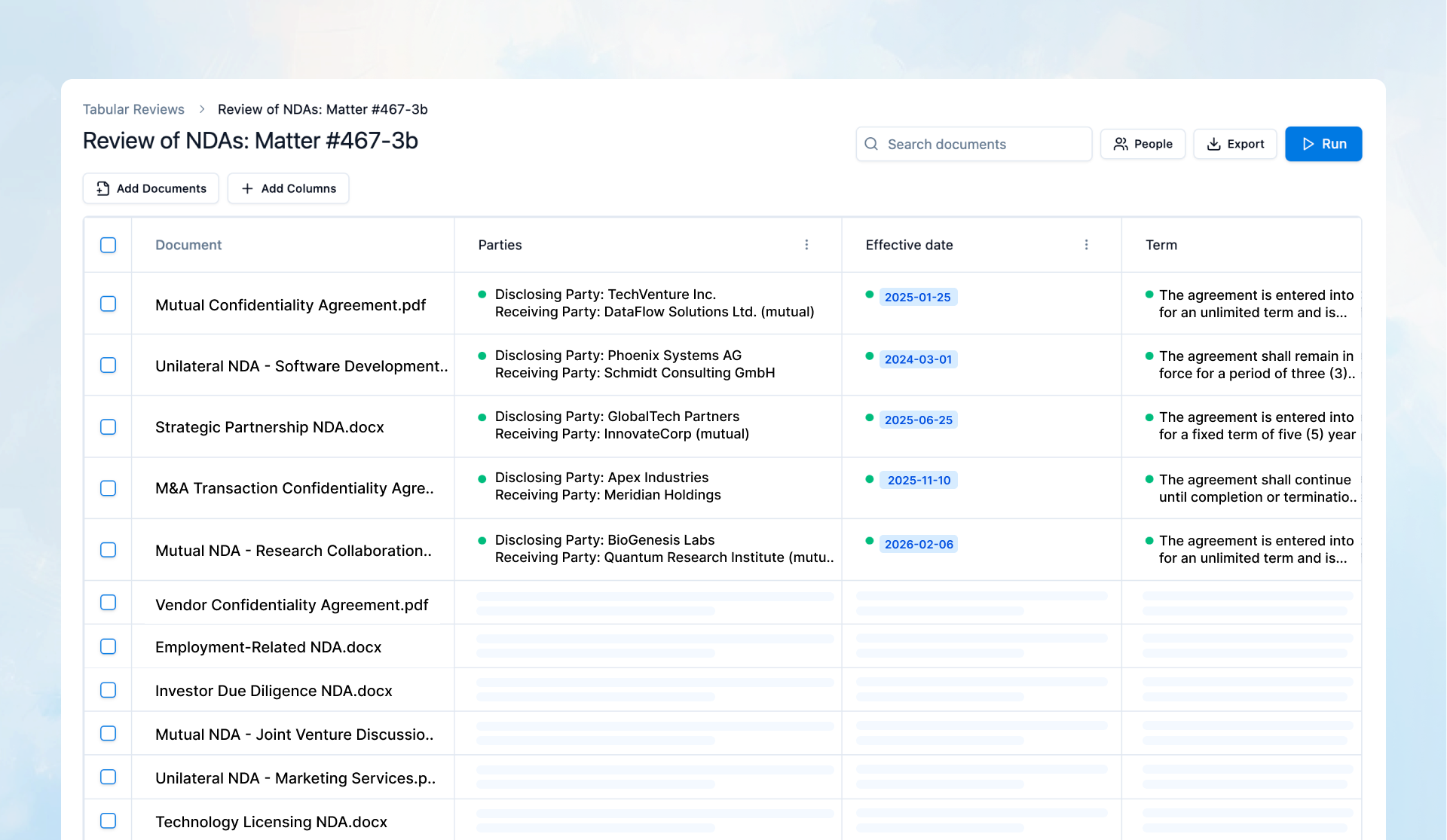
Review enables you to run structured extraction and analysis queries across entire document sets, presenting results in interactive tables where each cell contains not just an answer, but the complete reasoning process and citations that support it. Unlike traditional document review workflows that require manual extraction or sequential analysis, Review processes all documents in parallel, creating comprehensive comparison tables that combine speed with the transparency and rigor required for professional work.
Unlimited Document Processing
Review operates without document limitations. Upload and analyze entire contract portfolios, complete due diligence repositories, regulatory filing sets, or discovery collections. Whether you're reviewing 10 NDAs or 500 employment agreements, Review processes your full document set in parallel, ensuring that comprehensive analysis doesn't require artificial constraints or manual batching.
Flexible Review Tables
Create custom analysis frameworks tailored to your specific needs:
Add Custom Columns – Define the information you need to extract from each document. Create columns for standard contractual provisions (parties, effective dates, governing law, termination clauses), regulatory compliance requirements, risk factors, or any other structured data point relevant to your review objectives.
Intelligent Prompt Generation – For each column you create, simply provide a column name (e.g., "Governing Law," "Termination Rights," "Liability Cap"), and Review can generate optimized analytical instructions automatically. The prompt generation feature translates your column name into precise extraction instructions, eliminating the need to manually craft prompting logic. You can also optionally provide additional context to refine the generated instructions, enabling you to create sophisticated analysis columns that require legal interpretation, comparative analysis, or multi-section synthesis with minimal setup effort.
Adaptable Review Frameworks – Start with template column sets for common review types (NDA reviews, employment agreement analysis, regulatory compliance audits) or build completely custom frameworks for specialized matters in your Workflows.
Transparent Reasoning and Citations
Every answer in a Review table is supported by complete analytical transparency:
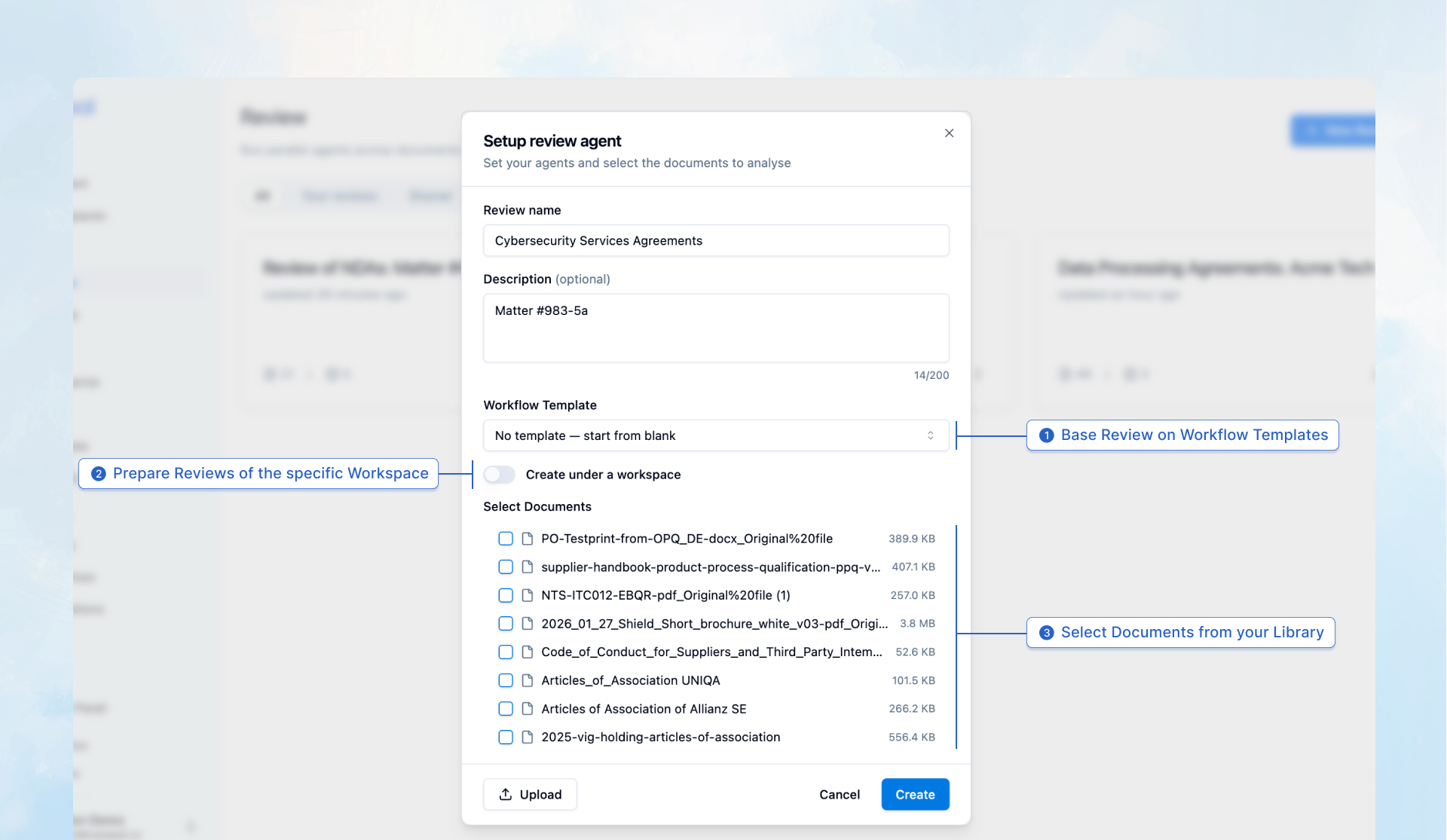
Full Reasoning Display – Click any cell to view the reasoning process of the agents that produced the answer. Review shows you not just what it found, but how it interpreted the document, which sections it analyzed, and the logical steps it followed to reach its conclusion.
Direct Source Citations – Each answer includes precise citations to the specific passages in the source document that support the conclusion. Citations reference exact page numbers and include verbatim text, enabling immediate verification.
Quality Indicators – Review provides visual indicators for each answer: Looks good (high confidence with clear supporting evidence), Not sure (ambiguous language or conflicting provisions requiring human judgment), and No data (the requested information is not present in the document). These indicators enable you to immediately identify which answers require additional review or verification.
Library Utilization
Review integrates seamlessly with your casepal Library, enabling you to leverage your organization's institutional knowledge:
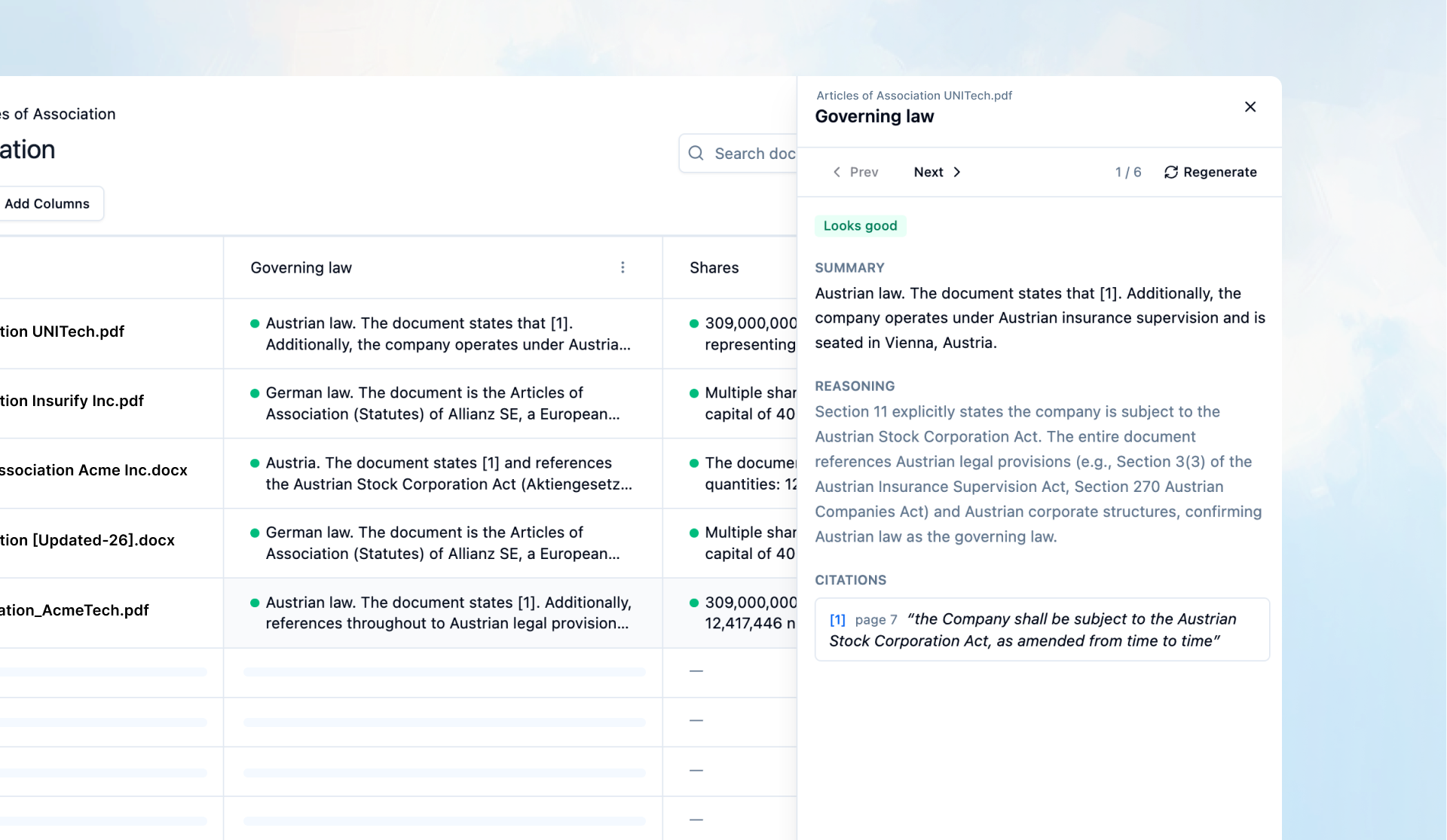
Base Reviews on Library Sources – Select documents directly from your synced SharePoint repositories or Library uploads. This eliminates redundant file management and ensures you're always working with the most current versions of your organizational documents.
Workspace Integration – Create Reviews based on specific Workspaces, automatically scoping the analysis to matter-relevant files.
Seamless Team Collaboration
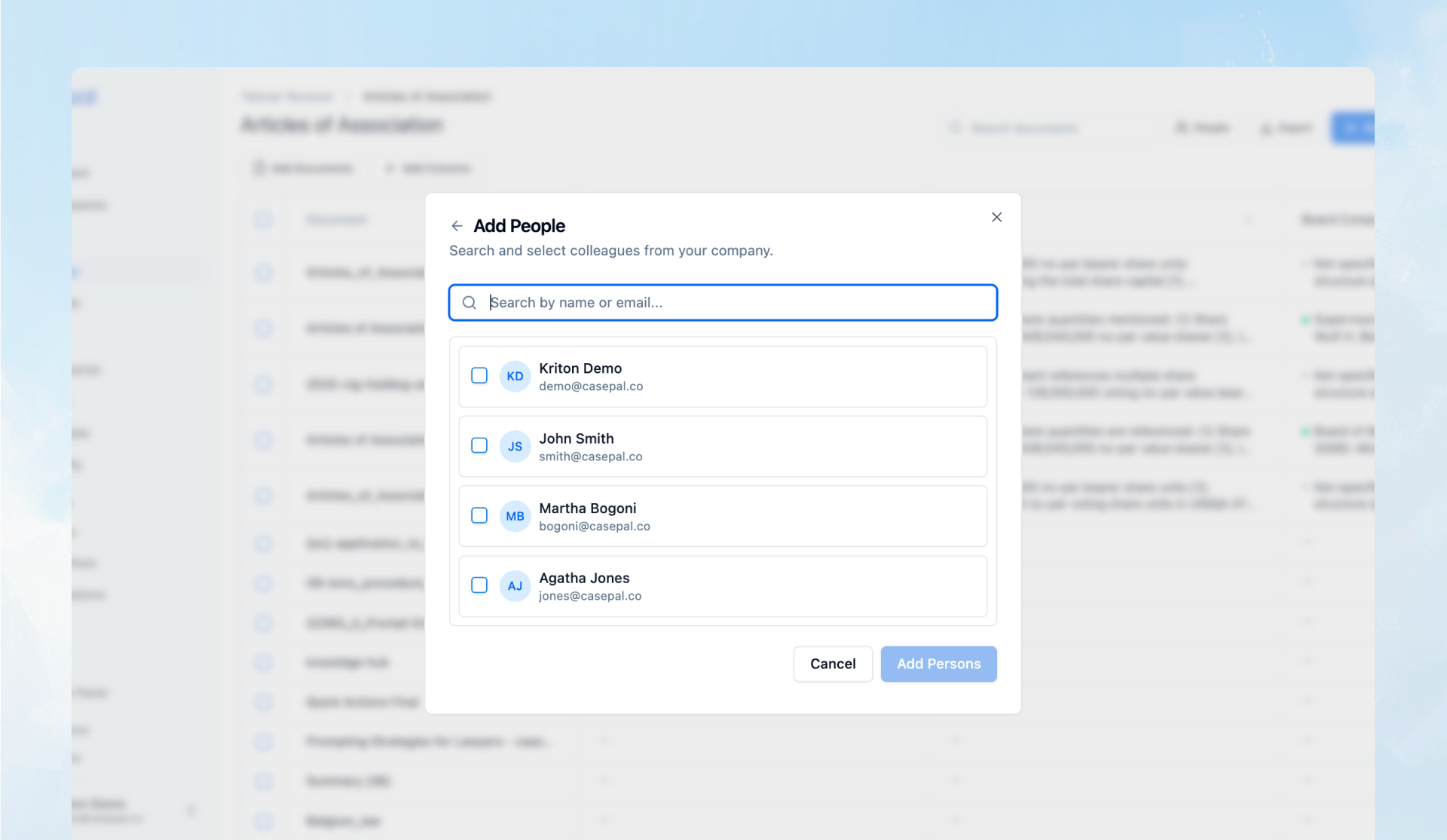
Share Within Your Team – Invite colleagues to collaborate on Reviews. Team members can view the complete analysis table, examine reasoning and citations for any answer, add new documents to the review set, or create additional columns as the matter evolves.
Export to Excel – Download complete Review tables as Excel files, enabling integration into your existing workflows. Exported files maintain all answer data, reasoning summaries, and citation references, ensuring that your analysis remains accessible and auditable outside of casepal.
Centralized Review Management – All Reviews are accessible from a dedicated Reviews section, enabling you to maintain organized repositories of completed analyses. Return to prior Reviews to reference previous findings, update analyses with new documents, or adapt successful review frameworks to new matters.