.png)
Releases: Winter 2025
Welcome to the Releases, where we reflect on all key product updates in casepal. This winter edition features Workspaces for collaborative matter-specific work, the Knowledge Hub as a centralized resource for mastering casepal, refined citation architecture enabling faster streaming and structured output, expanded file format support, and enhanced navigation with a new search bar and a reorganized sidebar.
These updates reflect the maturity of casepal as an enterprise platform, enabling legal professionals and cross-functional teams to work and collaborate more efficiently, share institutional knowledge seamlessly, and leverage purpose-built AI tailored to specific matters, tasks, or cases.
Workspaces Collaborative Knowledge Sharing
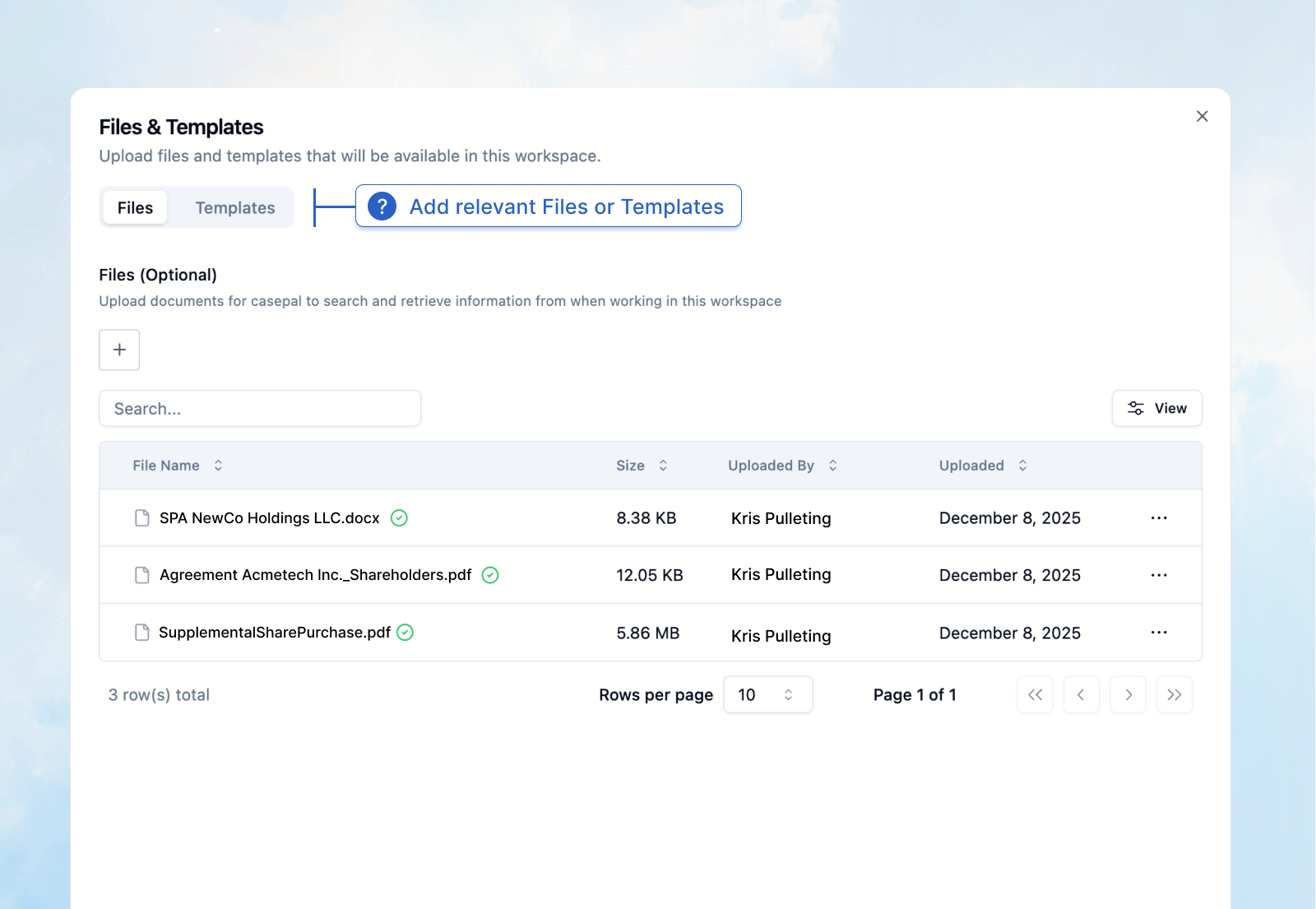
Workspaces are scoped collections of chats designed for work on specific cases, deals, or projects. Each Workspace creates a defined context where you can connect relevant sources, set custom instructions, and collaborate with your team, enabling you to keep matter-specific work separate and focused.
Scoped Sources
Connect specific casepal Library sources or attachments to a Workspace. When working within that Workspace, casepal conducts searches predominantly on these materials, ensuring that research and analysis remain targeted to the matter at hand. This eliminates noise from unrelated documents and ensures that every retrieval is contextually appropriate.
Custom Instructions
Define Workspace-specific rules, preferences, and tasks. Custom instructions function as matter-level system prompts, allowing you to establish recurring protocols, define party names, specify formatting preferences, or set rule-based frameworks that apply only within that Workspace.
Multiple Chats
Create separate conversation threads within a single Workspace, each inheriting the same sources, custom instructions, and contextual memory. This enables you to compartmentalize different aspects of a matter; one chat for due diligence questions, another for drafting ancillary agreements, another for compliance analysis, while maintaining a unified matter-specific workspace.
Team Sharing
Share Workspaces with colleagues for seamless collaboration and knowledge sharing. Team members gain access to the context, sources, and custom instructions, enabling centralized knowledge sharing and eliminating the loss of critical information when matters transition between colleagues.
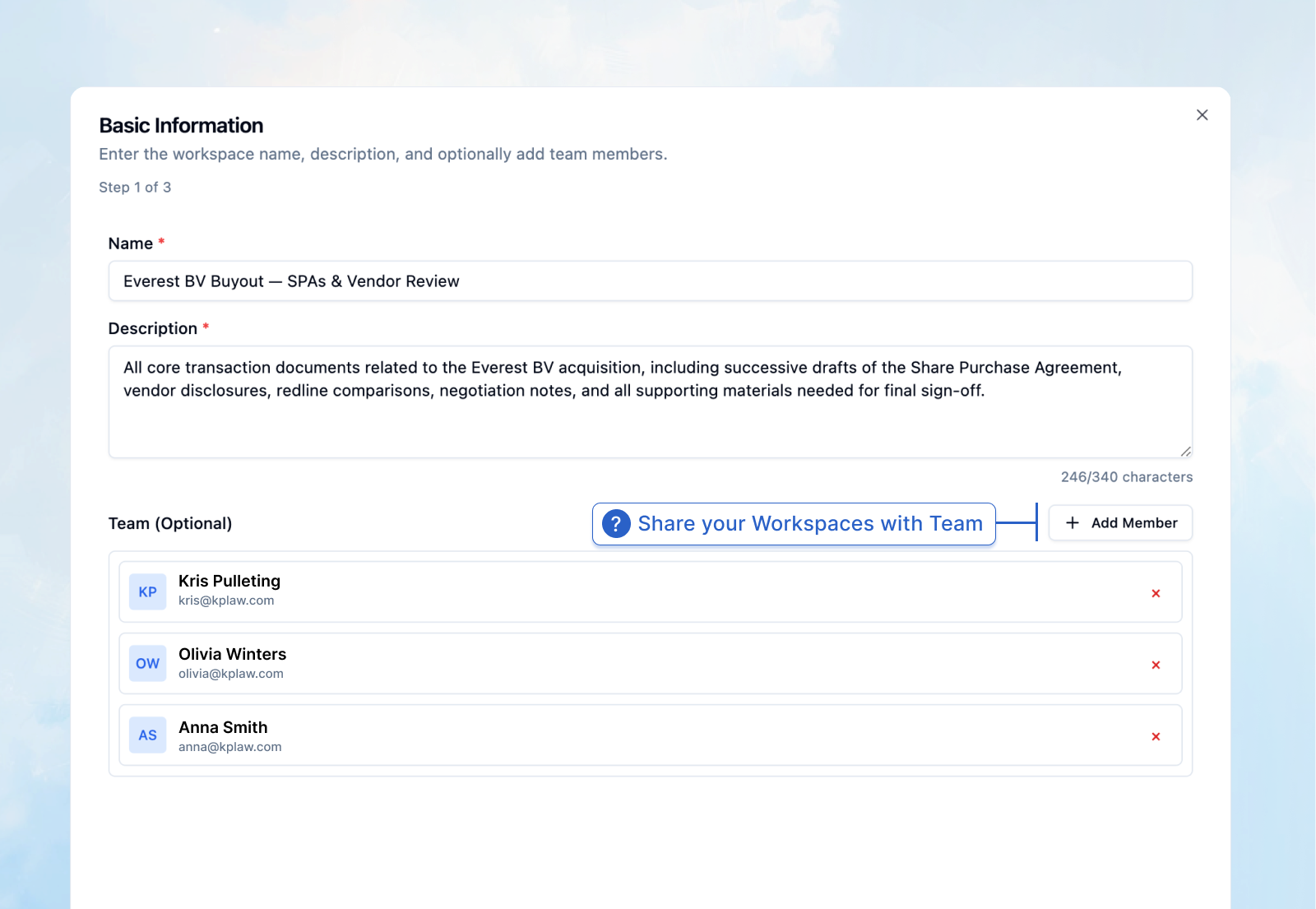
For example, in a cross-border M&A transaction, you might instruct casepal to always analyze contractual provisions under both Delaware law and German law, reference specific internal precedents, and format responses as deal memos. These instructions persist across all chats and to all colleagues working within that Workspace, creating consistency without manual repetition. Specific matters can include a recurring set of tasks, particular cases or deals, or even projects.
The Benefits of Workspaces
More Organized – Separate work by matter, keeping context clean and focused. Your Assistant conversations remain distinct from case-specific threads.
More Precise – Targeted search through relevant sources. By scoping retrieval to matter-specific materials, casepal delivers more precise and contextually appropriate results.
Flexible – Customize casepal's behavior per Workspace. Tailor the Assistant's behaviour to the specific requirements of each matter or task.
Collaborative – Team access to shared context, sources, and instructions creates institutional knowledge accessible across the matter-relevant team.
Workspaces represent a fundamental advancement in how legal professionals can deploy casepal across complex, multi-faceted engagements, creating structure and collaboration at the matter-specific level.
Knowledge Hub: Centralized Mastery of casepal
We are further introducing the Knowledge Hub, an intuitive yet comprehensive resource on when, where, and how to use the Assistant, Workspaces, Suite of Tools, Library, and Integrations.
Built from curated insights drawn from thousands of discussions, training sessions, Q&As, and support tickets with legal professionals across jurisdictions and practice areas, the Knowledge Hub provides accessible guides on all casepal solutions and functionality, in the form of articles and tutorial videos.
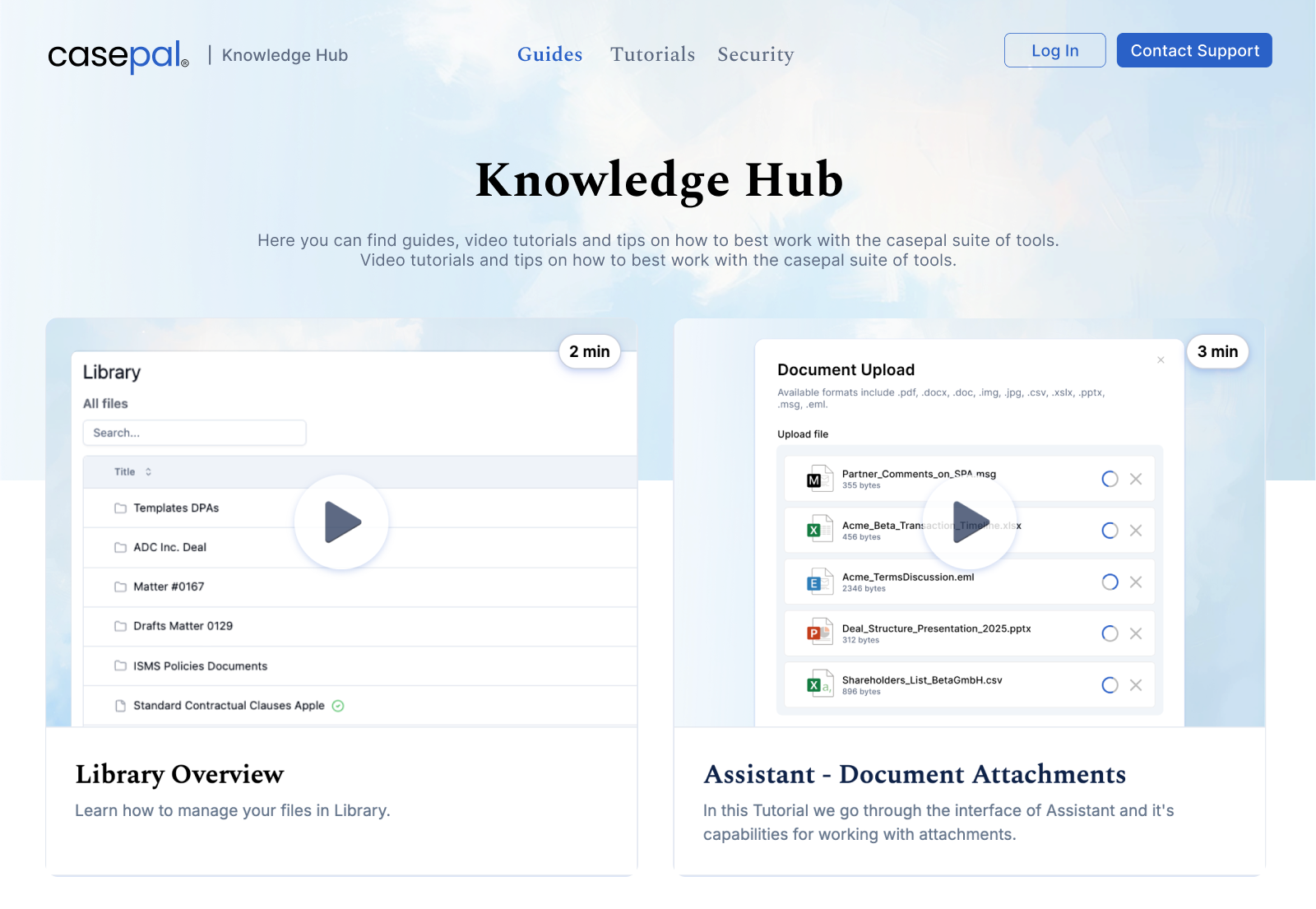
The Knowledge Hub serves as a centralized reference for both new users during onboarding and experienced professionals seeking to optimize their workflows. Topics range from foundational concepts, such as how Agentic Legal Research operates, to advanced use cases, including integration strategies, prompt engineering techniques, and best practices for Library organization.
Refined Citations and Streaming
We have refined our architecture for citations, enabling faster responses, more consistent streaming, and support for diverse response formats.
casepal can now deliver output with detailed citations embedded within tables and lists, maintaining full transparency and traceability even in structured formats. This is particularly valuable for compliance mappings, regulatory gap analyses, and comparative statutory reviews.
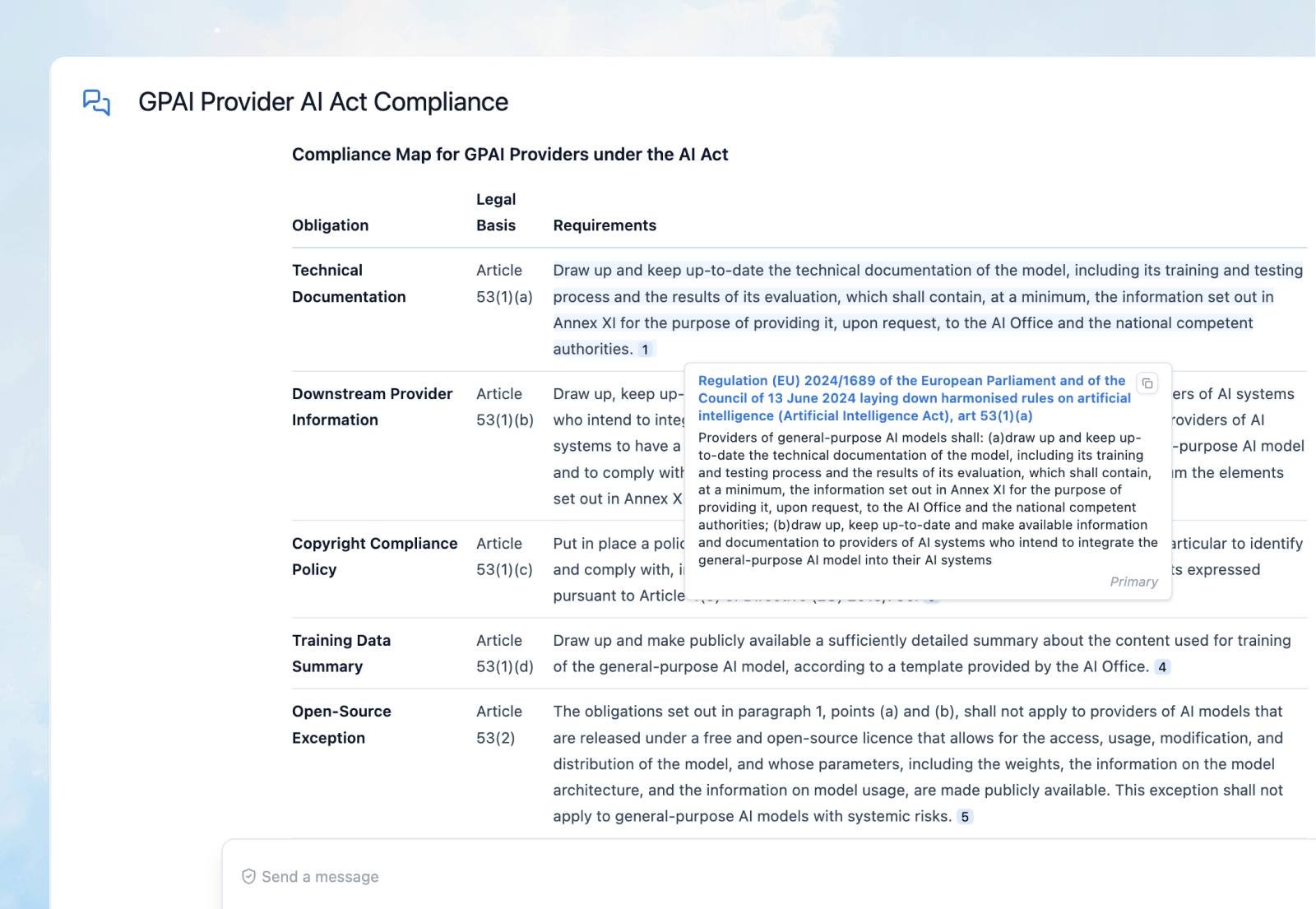
This architectural update decouples streaming from citation preparation, enabling faster initial responses through subsequent processing of citations. Moreover, messages for each stage of casepal's actions have been added, including document processing, search results analysis, and citation preparation, providing greater transparency into the reasoning and source-finding process.
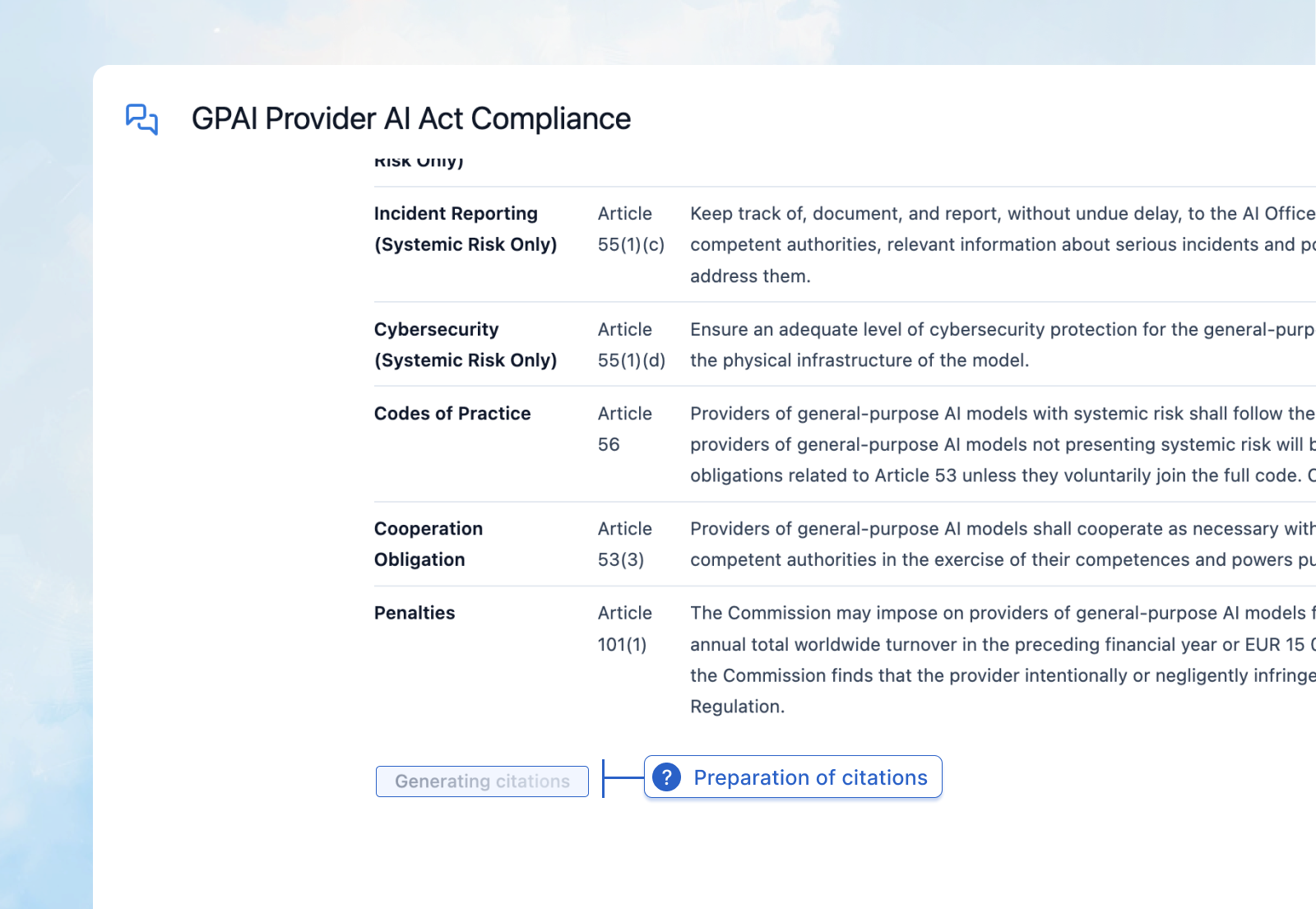
The result is a more responsive, transparent, and versatile Assistant that maintains rigorous citation standards across all output formats.
Broader Support of File Formats
We have expanded file support across casepal Assistant, the Suite of Tools, and the Library. We now further support .doc, .xlsx, .csv, .xls, .pptx, .eml, and .msg files.
This means casepal can now natively process Word documents from older cases, Excel files for finance and accounts teams, complete email transcriptions, and PowerPoint presentations. This expansion enables casepal to serve as a core, purpose-built ecosystem for professionals across firms and enterprises, including finance, compliance, HR, administration, and IT departments.
.png)
The ability to process financial models in Excel, analyze email threads in .eml or .msg format, and extract insights from legacy .doc files ensures that casepal integrates seamlessly across enterprise workflows.
Company Guidelines
We have updated how your AI usage policies are displayed across professionals within your organization using casepal.
Administrators can now set and communicate company-specific guidelines on AI usage, data handling, and acceptable use policies. These guidelines are prominently displayed to all users, ensuring alignment with your organization's governance framework and promoting responsible, compliant use of AI-assisted tools.

This feature enables firms and enterprises to establish clear policies and best practices, fostering trust and consistency in how casepal is deployed across teams.
Navigation: Advanced Search and Refined Sidebar
Given our extensive updates on knowledge sharing and collaboration, we have enhanced navigation across casepal, reflecting the maturity of the ecosystem.
Refined Sidebar
The sidebar now distributes casepal's capabilities into three clear categories:
Assistant – Includes the casepal Assistant and Workspaces, providing versatile support, collaboration on matter-specific work, and agentic capabilities such as Agentic Legal Research and Enterprise Search.
Suite of Tools – Direct access to purpose-built tools for summarizations, translations, email drafting, and simplifications.
Knowledge – Your centralized hub for institutional intelligence and learning:
Library – Your knowledge repository with integrations, synced sources, and document management.
Knowledge Hub – Your comprehensive resource for mastering casepal functionality.
Integrations – Connect and sync your DMS or SharePoint with casepal.
Advanced Search Bar
Finally, we are releasing an advanced search bar for Assistant and Workspace chats. The search bar now uses a dual strategy, searching both keywords in chat titles and in chat content.
This enables you to locate specific conversations not only by their names, but also by the substantive content discussed within them. For example, searching for a case name, statute citation, or contractual term will surface all relevant chats where that term appears, even if the chat title does not reference it.
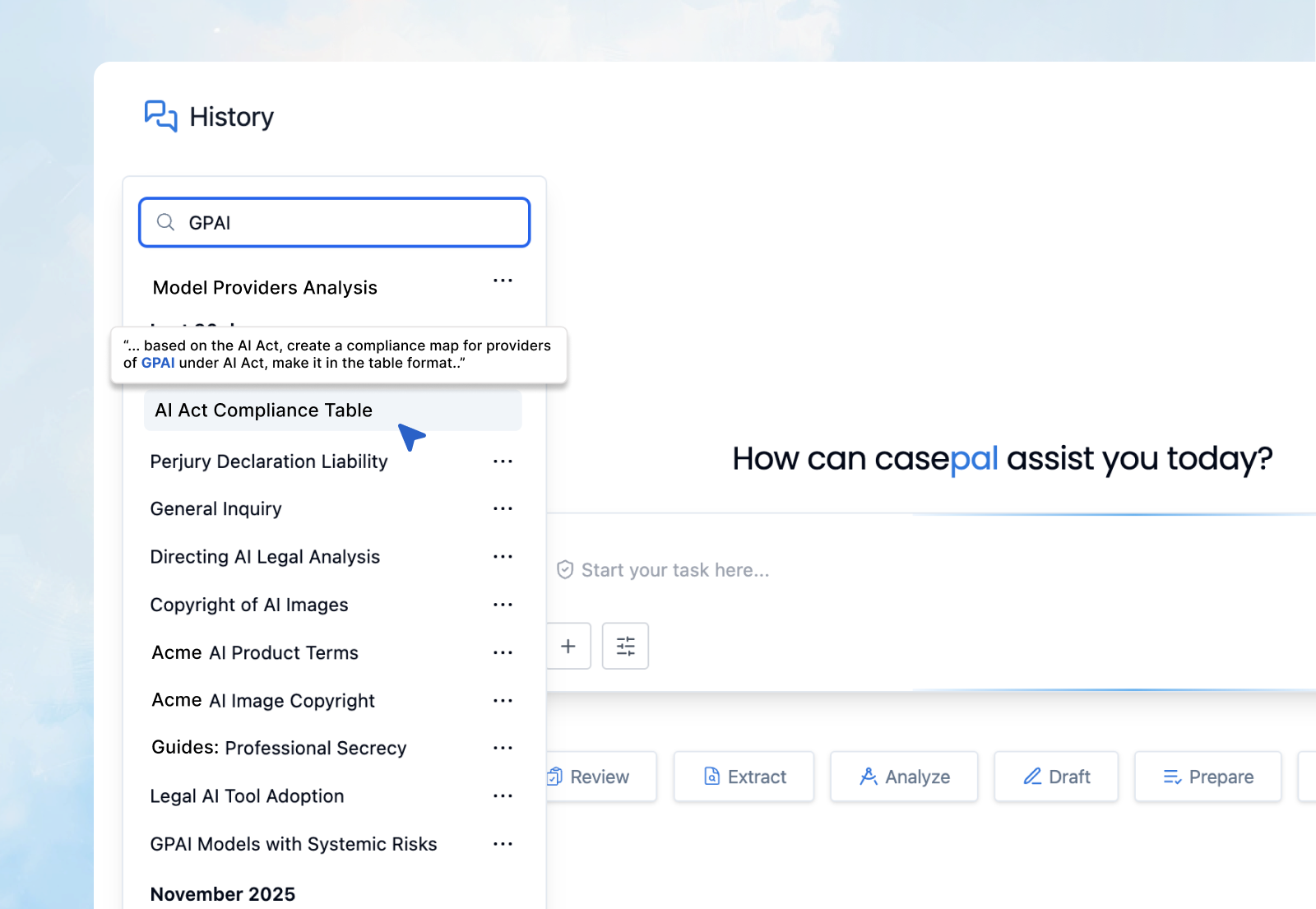
Together, these navigation enhancements create a more intuitive experience, ensuring that professionals can access the right tool for the right task with clarity and speed. At the same time, valuable insights and prior work remain instantly accessible across your conversation history.
These winter releases represent a significant advancement in how casepal enables professionals to focus on their highest-value work. Workspaces create structure and precision for matter-specific work. The Knowledge Hub serves as a centralized resource for using casepal effectively. Refined citations, expanded file support, and enhanced navigation improve speed, accessibility, and versatility.