.png)
Releases: Winter 2026
Welcome to the second winter edition of Releases, where we reflect on the latest updates across the casepal ecosystem. This release introduces a completely redesigned Assistant interface with intelligent prompt optimization, dedicated search controls, and downloadable outputs in Word formats. We've further enhanced transparency with clickable library citation previews, refined Personalize, and increased interface consistency across Workspaces and the Suite of Tools.
These updates focused on enabling you to work with casepal more intuitively and effectively across the casepal ecosystem.
Redefining Assistant: Enhanced Control and Intelligence
We have fundamentally redesigned how you interact with the Assistant, introducing capabilities that give you greater control over research strategy while simultaneously making casepal more intelligent in optimizing your requests.
Dedicated Search Controls
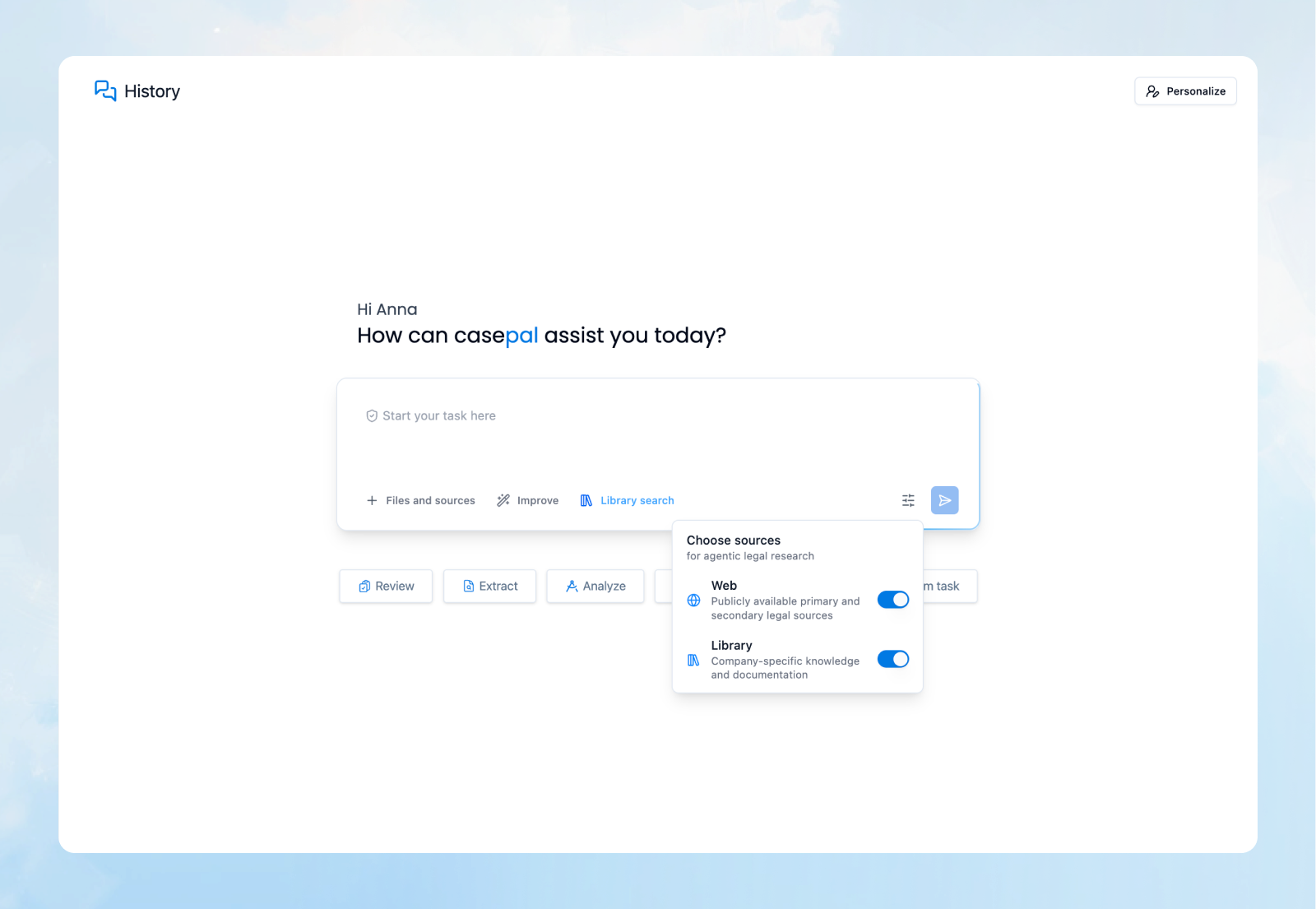
You now have explicit control over casepal's research strategy through dedicated buttons directly in the Assistant interface.
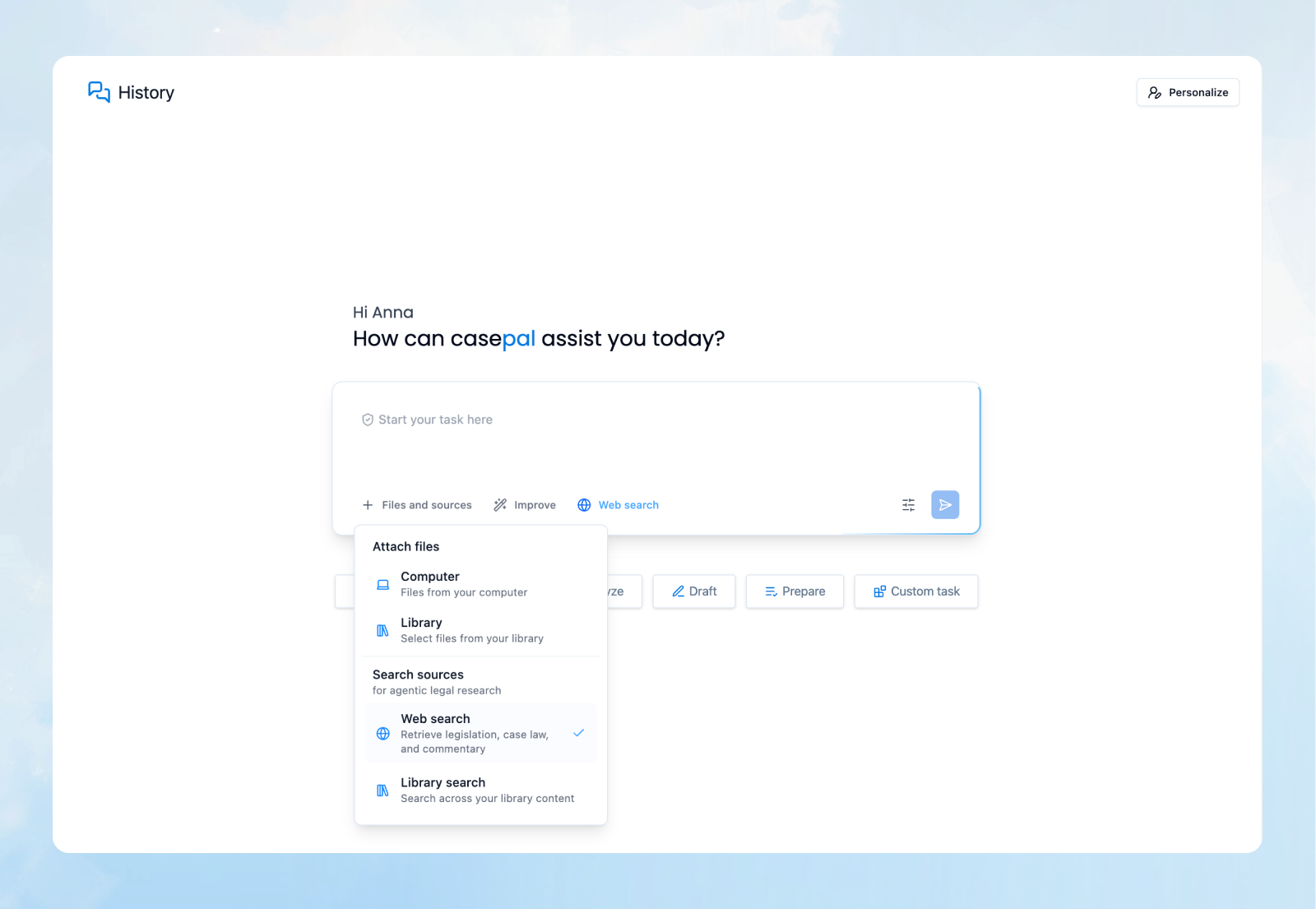
Previously, casepal determined autonomously whether to search your Library, the web, or both based on your query. While this intelligent routing remains the default behavior, you can now override it when your professional judgment requires a specific research path:
Library Search – Force casepal to search exclusively within your organization's synced knowledge and internal documents
Web Search - Direct casepal to search external sources, legislation databases, and public legal authorities
Both – Instruct casepal to conduct comprehensive research across both your institutional knowledge and external sources simultaneously
This granular control is particularly valuable when you know precisely where the answer resides, when conducting compliance checks against internal policies, or when you need to verify that external legal developments haven't superseded your firm's precedents.
Improve: Intelligent Prompt Optimization
We are introducing Improve, a transformative feature that optimizes your prompts to follow best practices for AI-assisted legal research and analysis.
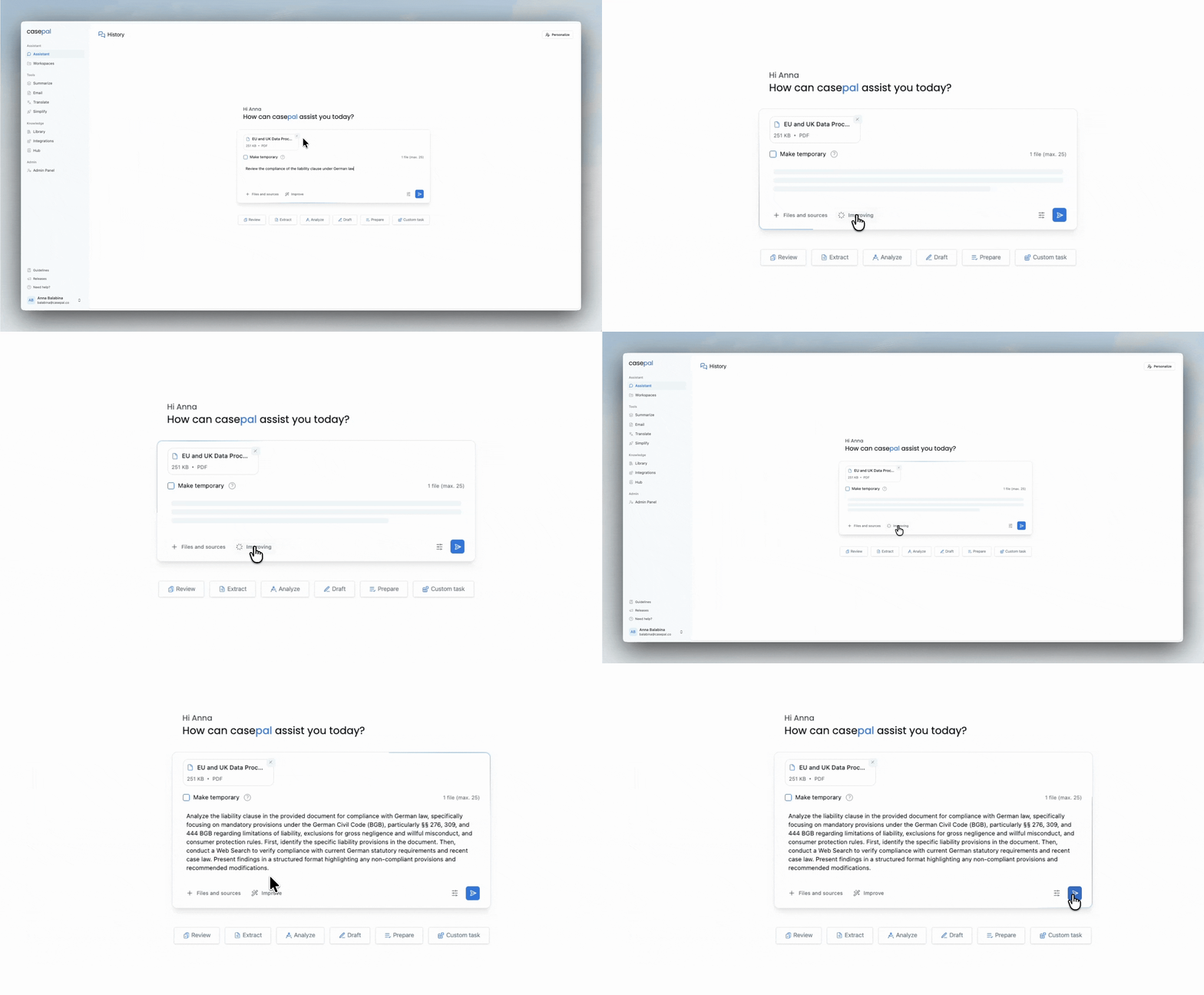
Write your prompt naturally, then click Improve. casepal analyzes your request and restructures it to maximize clarity, specificity, and contextual depth. The optimization process:
Adds Essential Context – Incorporates relevant jurisdictional frameworks, temporal constraints, and procedural requirements that enhance accuracy
Increases Specificity – Transforms general requests into targeted queries that yield more precise results
Structures Research Strategy – Organizes complex multi-part questions into logical analytical frameworks that guide where to research and in which depth
Clarifies Intent – Disambiguates vague terminology and ensures casepal understands the precise nature of your legal question
For example, a prompt like "What are the requirements for our new vendor contracts?" might be optimized to: "Analyze the essential contractual provisions required for vendor agreements in [your jurisdiction], specifically addressing: (1) limitation of liability clauses consistent with our internal risk framework; (2) data processing terms compliant with GDPR Article 28; (3) intellectual property ownership for deliverables; and (4) termination rights and transition obligations. Reference our standard vendor agreement template from the Library and highlight any provisions requiring legal review based on our current procurement policies."
This feature is particularly valuable for professionals new to AI-assisted research, enabling them to immediately leverage expert-level prompting techniques without mastering the underlying methodology. For experienced users, Improve serves as a quality control mechanism, ensuring that even routine queries benefit from structured, comprehensive framing.
Unified Interface Experience
The redesigned textbox creates a cleaner, more intuitive way to work with casepal Assistant. Search controls, the Improve function, and the input area are seamlessly integrated, reducing cognitive load and making your interaction with casepal easier across all query types.
Download to Word: Seamless Output Integration
casepal responses can now be downloaded directly as Word (.docx), enabling immediate integration into your document workflows.
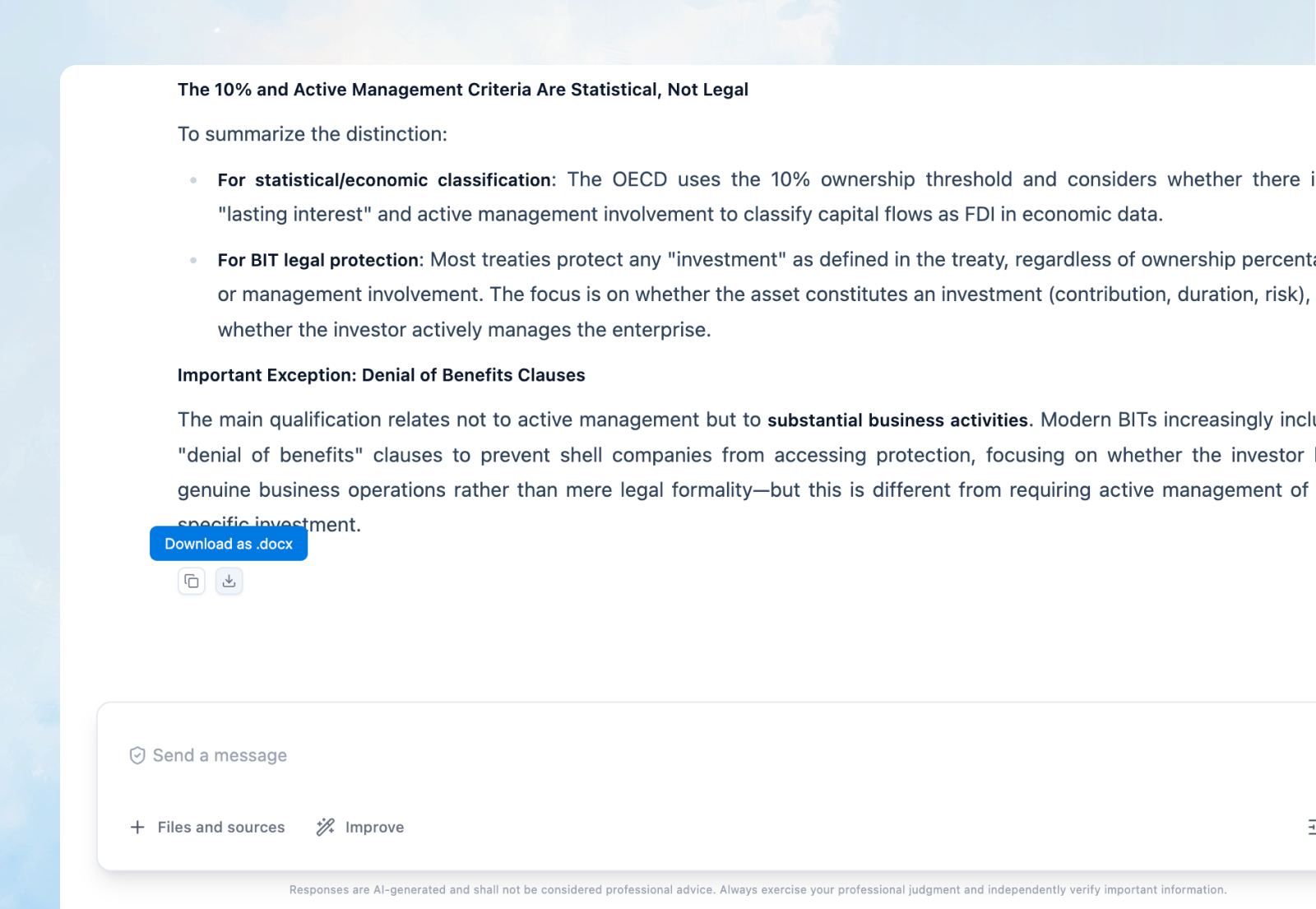
Every Assistant response now includes download options, allowing you to:
Preserve Formatting – Tables, citations, headings, and structured analysis are maintained with full fidelity in the exported document
Integrate into Work Product – Incorporate casepal's research, analysis, or drafted content directly into briefs, memos, client advisories, or internal documentation
Share with Colleagues – Distribute comprehensive responses to team members who may not have immediate access to the casepal platform
Create Records – Maintain archived copies of key research for matter files or compliance documentation
Library Citations with Document Previews
We have enhanced transparency and usability for citations that reference your organization's internal knowledge.
When casepal cites a document from your Library, the citation is now clickable, providing an instant preview of the source document directly within the Assistant interface.
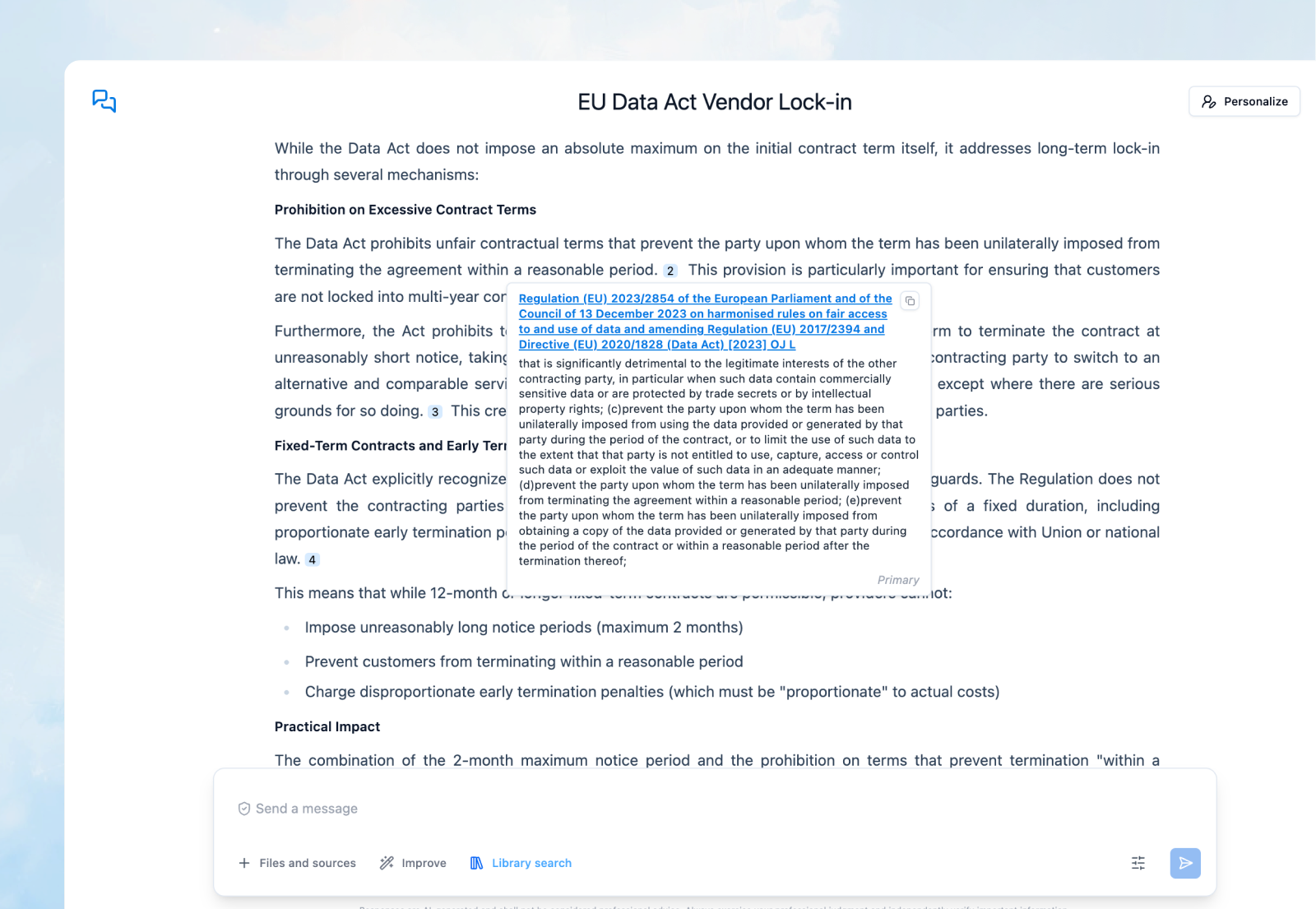
This feature enables you to:
Verify Sources Instantly – Review the exact passage casepal referenced without navigating away from your conversation
Assess Context – Examine surrounding content to ensure the citation is applied appropriately to your query
Access Full Documents – Open the complete source file when a deeper review is required
Maintain Research Flow – Conduct verification without interrupting your analytical process
For example, when casepal cites your firm's standard force majeure clause from a template contract, you can click the citation to immediately view the full clause in context, verify its applicability to your current matter, and confirm that you're referencing the most recent version.
Refined Personalize: Simplified and Accessible
We have redesigned the Personalize experience to make customization simpler, clearer, and more effective.
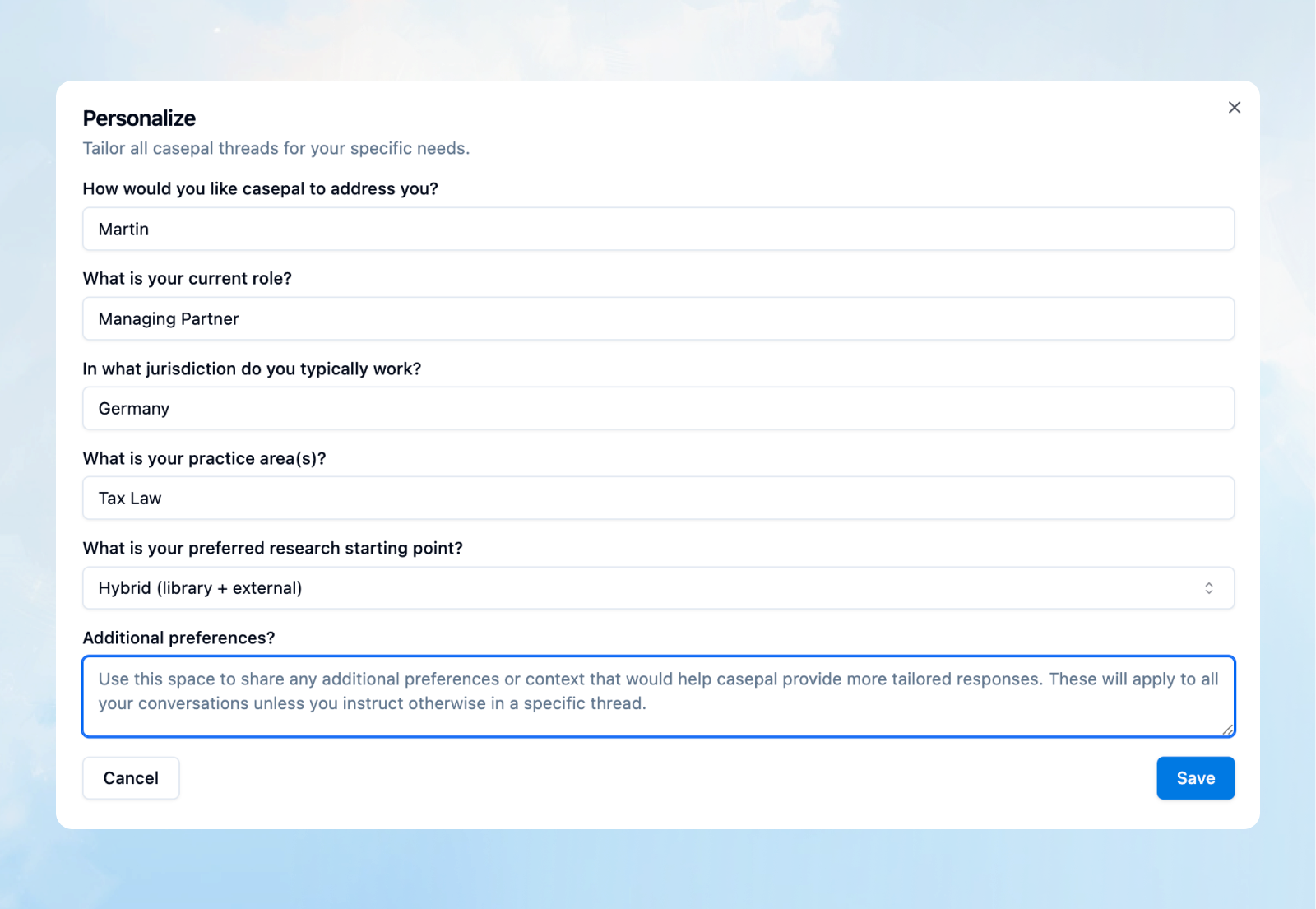
The Personalize feature is now directly accessible within the Assistant interface, eliminating the need to navigate to separate settings pages. The streamlined design allows you to:
Set Jurisdictional Defaults – Define your primary jurisdiction so general legal queries are automatically contextualized to the applicable legal framework
Specify Practice Areas – Tailor responses to your areas of expertise, ensuring examples and explanations align with your professional focus
Configure Communication Preferences – Set your preferred level of detail, formality, and response structure
Define Research Preferences – Indicate whether you prefer casepal to prioritize Library sources, external knowledge, or a hybrid approach
The refined interface uses clear, plain language to explain each preference and its impact on casepal's behavior, making customization accessible to all users regardless of technical expertise. Changes apply immediately to new conversations, ensuring your experience with casepal is consistently aligned with your professional requirements.
Unified Experience: Workspaces and Suite of Tools
We have refined the interfaces across Workspaces and the Suite of Tools to create a consistent, intuitive experience throughout the casepal ecosystem.
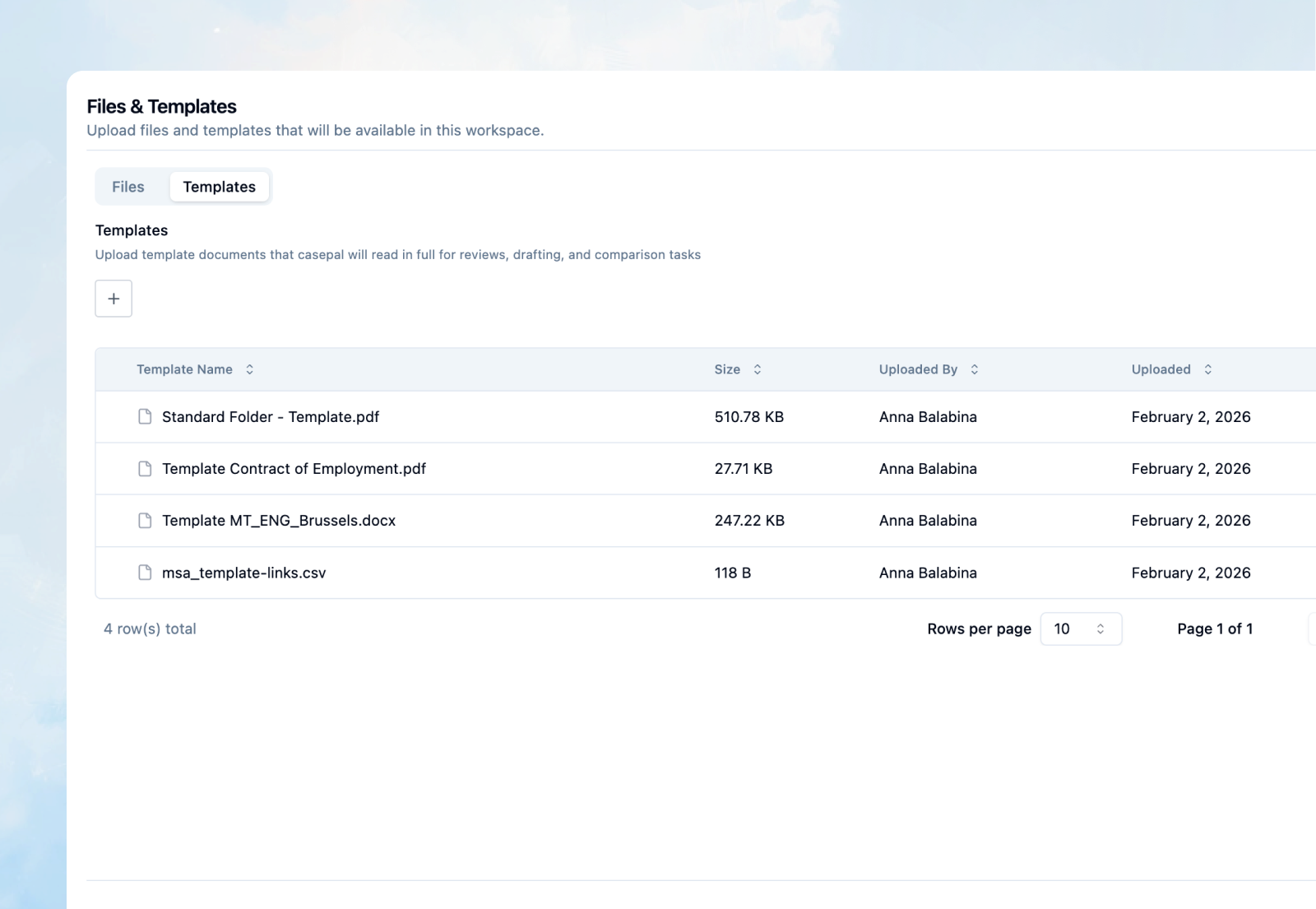
Workspaces: Dedicated Source Management
Workspace Files and Templates now have a dedicated management page that centralizes all source-related functionality.
Suite of Tools: Consistent Interface Architecture
Summarize, Translate, and Simplify now feature redesigned interfaces with:
Unified Upload Experience – A consistent upload box across all tools, supporting the same file formats and presenting consistent processing animations
Standardized Output Display – Responses are presented in a uniform format, making it easier to navigate between different tools without relearning interface conventions
Library Picker Integration – Select sources directly from your synced Library across all tools, just as you do in Assistant, eliminating the need to download and re-upload internal documents
For example, when you need to simplify a court judgement, you can now select the source document directly from your Library (whether it's stored in SharePoint or uploaded directly to casepal), initiate the translation with the same interface design you use for summarization tasks, and receive the output in a familiar, consistent format.
These Winter 2026 releases make your interactions with casepal more effective through the redesigned Assistant interface and intelligent prompt optimization, more transparent with clickable library citation previews, increasingly personalized with streamlined preference controls, and deliver a more seamless experience through unified interface practises across Workspaces and the Suite of Tools.